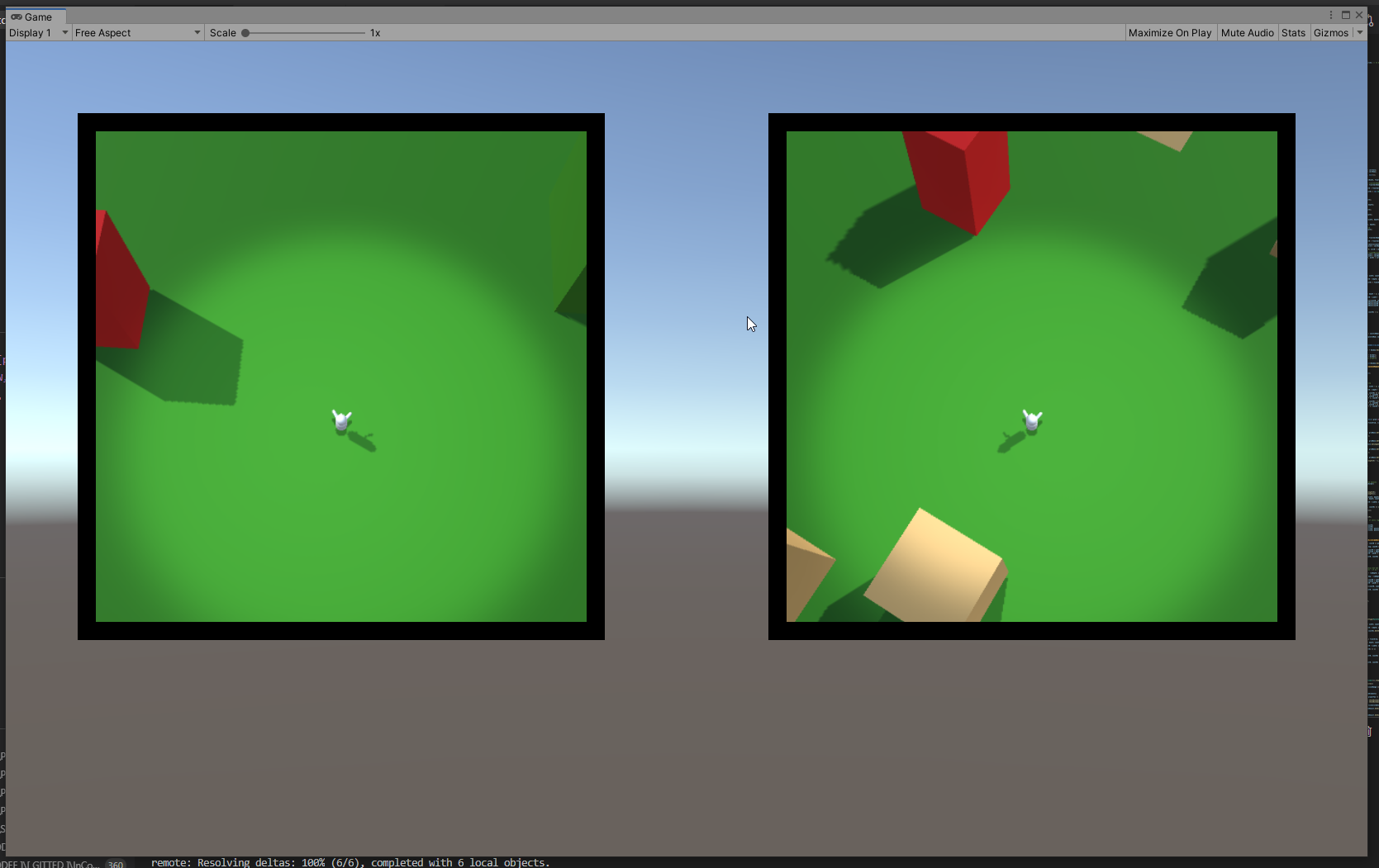
All the huds, all the time

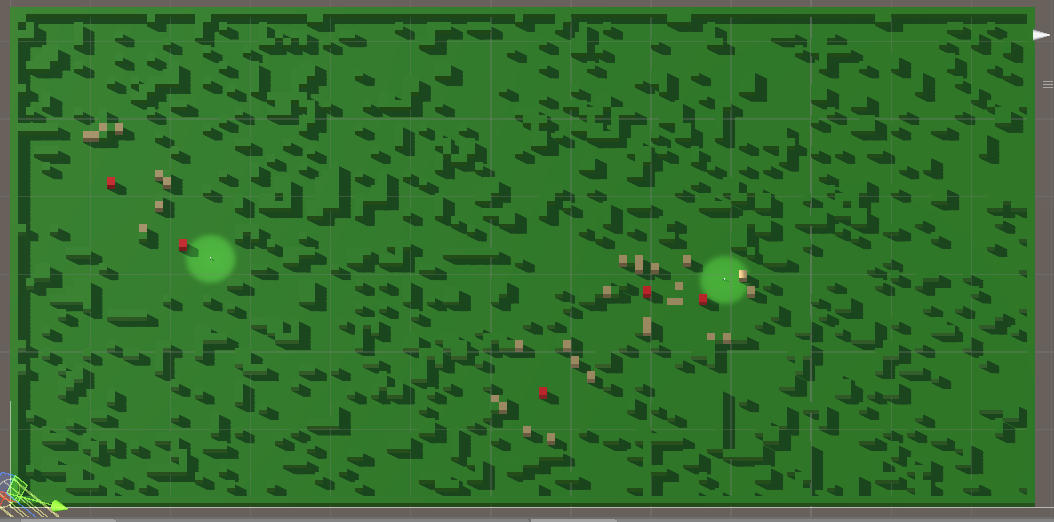
Finally, the huds are (basically) ready.

At least they sork properly with static icons – ones that are generated with the map and are never destroyed.

Each hud correctly displays only the icons that are in the vision range of the respective player and drops the icon when the object in question is visible on the minimap.

I think that will be all for the year.

Next – player inventory and item use, I think. We’ll see…

Chaining them hooks

(Successor to https://mossgoblin.com/2020/02/18/egg-and-chicken-in-unity/)

I got this problem again, when different component scripts compete for precedence. Always something to think about when you have multiple entities (not the technical term from dots).

In this case I was integrating the successfully prototyped hud/radar system into the main scene and I got the following situation:

The MapController (the main conductor in the scene) gets a list of points of interest (POI) to be displayed on the huds. It send them to the HudController.

It also positions the players and sends their transforms to the HudController again.

The HudController decides which of the POI are visible for each player and creates two separate POI lists and sends them to the player huds, along with the respective player transforms.

Then each hud takes care of initializing the compass of the player and displays the POI list it has.

Who Starts() first. Madness and definitely not the proper way.

We leave aside the fact that the two controllers and both the huds are component scripts and not simple C# objects. Quite the anguish, deciding it should be so. I would not have the chaining problem if I used pure C# classes for those, but building and setting up the scene turned out to be much much easier with properly exposed component scripts.

So… one Start() to rule them all! Here’s how it ended up looking:

MapController

+Start()

  • PrepPlayers()
    • Send players to HudController
  • PrepGeneralPOIList()
    • Send generalPOIList to HudController
  • HudController.Run()

HudController

+Run()

  • Send players to each player Hud
  • Split generalPOIList into two playerPOILists
  • Send one playerPOIList to each Hud
  • for each Hud: Hud.Run()

Hud

+Run()

  • Display playerPOIList

I feel weird having component scripts that have logic, but don’t have Start() hook, but.. it seems to work. I am pretty sure that’s not optimal and there are better ways to organize the action flow. But it will have to wait for some other project.

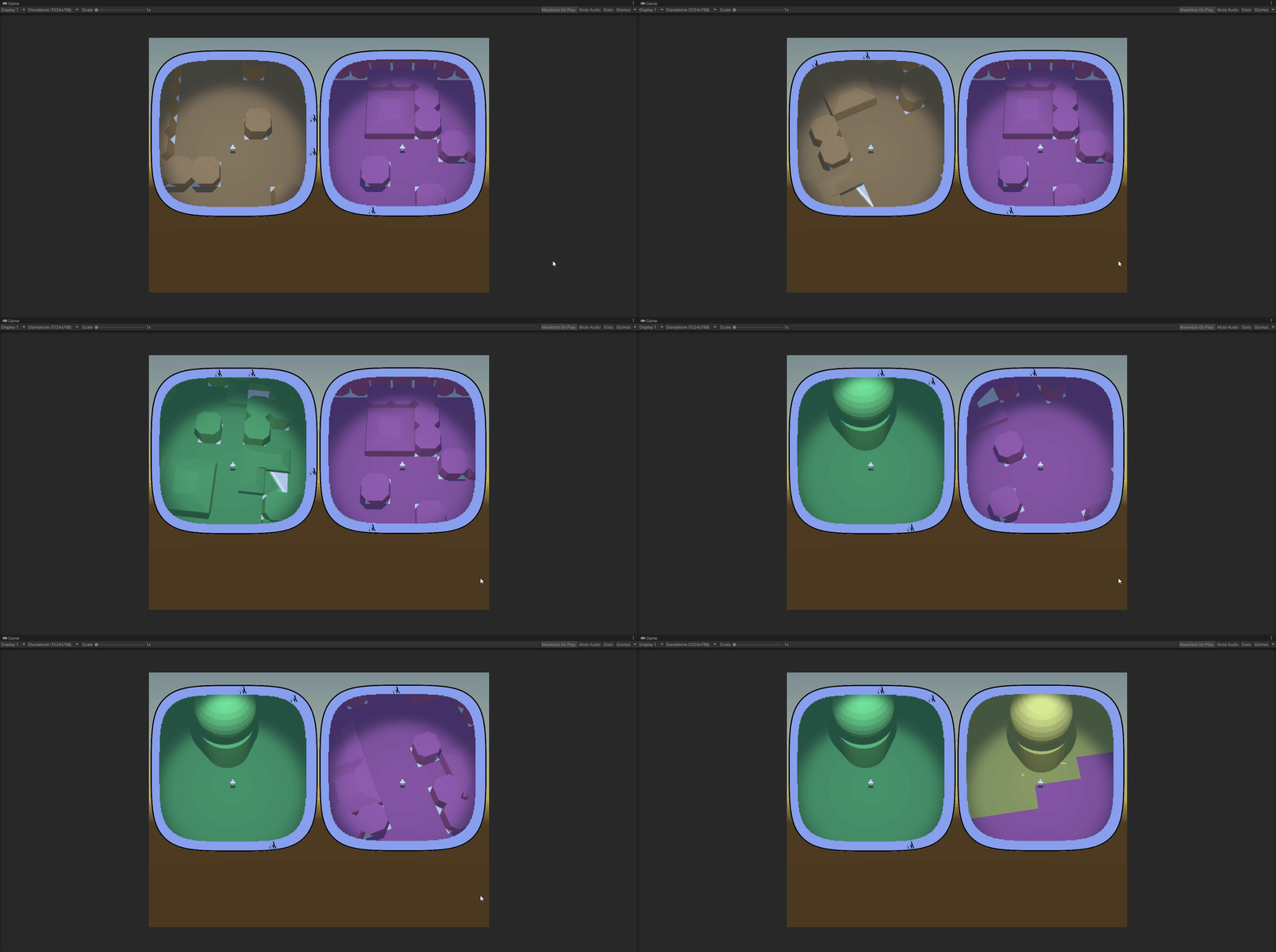
Biomes!

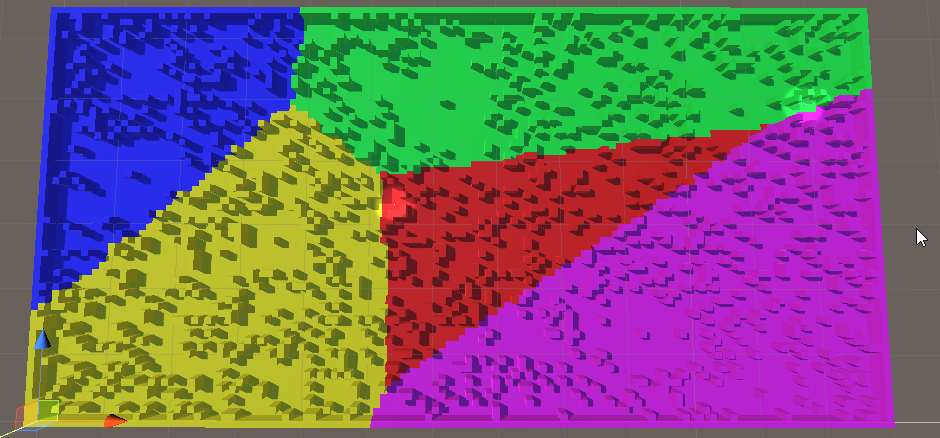
Aaand we have biomes!

In this case they have only a visual role. The objects that the environment is constructed of have types and those are what is functionally important. I need the biomes, however, to mark different sections of the map differently. The players needs to be able to look at their minimap and determine that they are not in the same type of terrain.

The approach I took was to select points on the map that are generally far away from each other, then flood the area around each one. Of course, steady flood would mean straight lines between the biomes, so I had to think of a randomness.

SomeBiomes

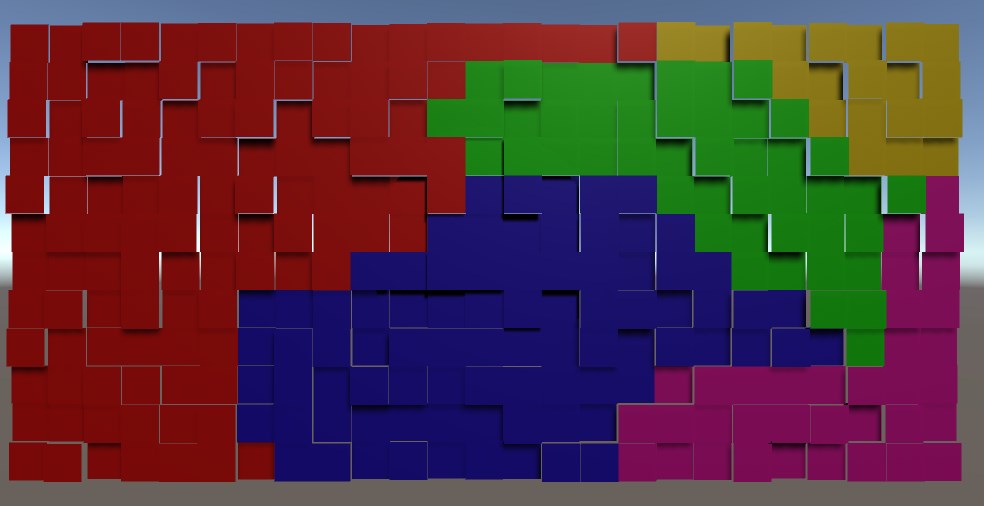
I used random ‘height’. There is no height in the game, but the concept for randomization is height and I needed a visual distinction between the tiles while devving, so…

The idea is that in each iteration of the flood a tile is evaluated.

Each non-marked neighbour is marked for checking (pretty standard).

The check of the tile itself is a comparison of the height of the tile against a pre-set threshold. If the tile is low enough – it is marked with the color of the biome. If not – it is lowered by an amount and added back to the collection of ‘to be checked’ tiles.

And if you do it for each biome in turn, each with its own flood – it works!

We’ll see how it will break when I add it to the main scene 🙂

Enter Squircle

So… Remember how the players use glorified minimaps to actually play?

One of the main features of the minimap is the compass – icons, showing direction to points of interest.

Easy enough to do it on a circular compass. Found a way to do it also on a square one. The main concern is that the circle does not cover space well and I would be happier if I can allow the players top see more of their surroundings. Here comes the square minimap. However, square is not… friendly. I kind of don’t like the sharp corners. This can be, of course, mitigated, by designing the whole UI to accept such corners, but why mitigate a problem when you can resolve it?

Enter squircle – a square with rounded corners. It would look well and give more visibility than a circle with same radius as it’s side length. But how do you project icons on the compass?

The way the compass works is simple – you get the angle between the player forward direction and the direction to the object, translate that angle on the minimap and place the icon the right amount away from the center of the minimap. Yeah, that’s the problem. For the circle it’s basically a non-problem. For a square – I found a solution online (see below).

But a squircle? I think I found the correct road to a solution, but it’s still a rocky road for a person how has not practice any meaningful math for decades.

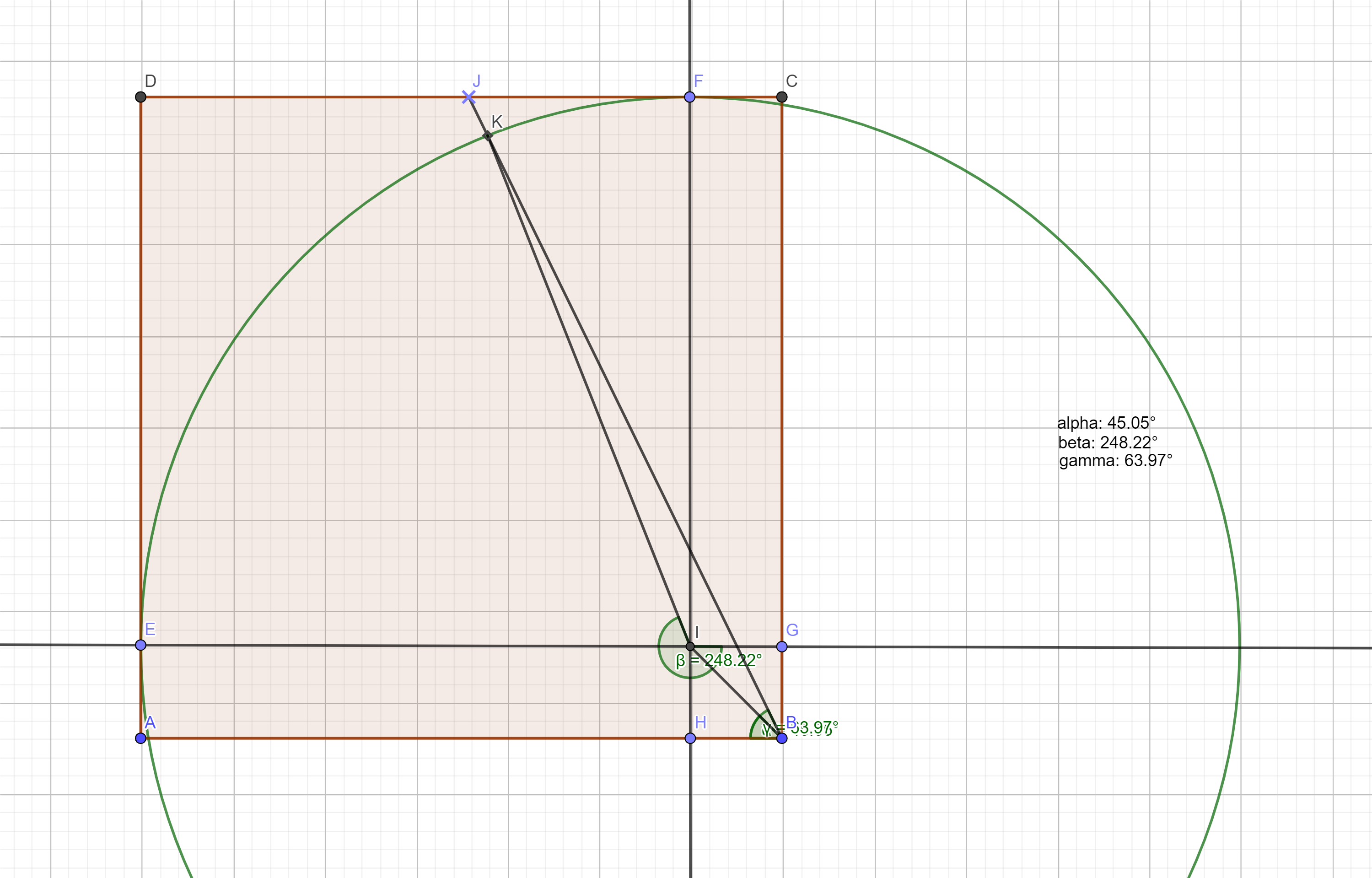
Here’s the construction:

a section of the squircle

The shape goes between two extremes. You have two governing variables – the radius of the corner circles and the length of the straight intervals between the corner circles. So the whole shape has two extremes:

  • it’s a circle if the intervals have length of 0
  • it’s a square if the radiuses are 0

What is given:

  • the radius of the circle
  • the length of the interval
  • the angle between (any) axis (IE) and the line passing through the center of the compass and the target icon (BJ)

What I need to find:

  • The angle between (any) axis (IE) and the line that connects the center of the circle and the crossection of the circle and the line from the center of the compass and the icon (IK)

The Factory

Not much, but I’m quite proud it works well.

In the begining I implemented a simple Factory that had to know what exactly it’s doing (a.k.a. methods like “CreateThisObjectPrecisely()”).

After some tweaking I finally managed to implement the proper library – a bit generic and reliant on an “IProduct” interface. The downside is that (at least for the moment) it uses only enpty constructors for the data classes, but that may change later.

A very persistent idea of mine is to fonally create a truly generic factory that dows not care at all what it’s producing, but the real deal will delve completely into reflection and I am not ready for that yet.

All in all – I am quite happy with the result so far.

Oh, one other thing – it’s a static factory that works with a singleton PoolManager, so garbage collection is taken care of, as much as possible. So far I Pooling is may be the most important game design pattern I have come across.

TankUp: Describing the environment

Concerning: The way the AI Tanks describe their environment.

I just put in place the class that will be used by the tanks to note down the specifics of their environment. An instance of that class, filled in with a couple of GameObject lists (one for other combatants, another for pickups), a simple int for the current stack size of the tank and (very important) a fingerprint of the entire content of the environment object instance.

That last part is there to avoid unnecessary shuffling of data. The tank will always keep the object up to date in order to pass it to the State Selector static class and get back a verdict on whether state change is needed. However, I’d like to do that only if necessary. So at regular intervals the tank will refresh its environment object, get the fingerprint and will bother the state selector only if the new fingerprint differs from the latest one. This seems to be a reasonable way to do it.

Also, about the state selector – a static class seemed fine. No state of it’s own (how ironic 🙂 ), something like ‘WWJD’ – what state would you choose if you were me and this was your immediate context 🙂

P.S. Something is wrong with the whole thingy – wether the IDE or Unity is behaving. I updated Unity to 3.0f6, then VS said – what is this ‘TextMeshPro’ you speak of? I expected a whole metric ton of .csproj files to have already been loaded for this project. Therefore you have 200+ errors. The game project is running, though, so I don’t know… I dialed it back to 3.0f5 and the problem remains. We’ll see when I try it at the PC at home.