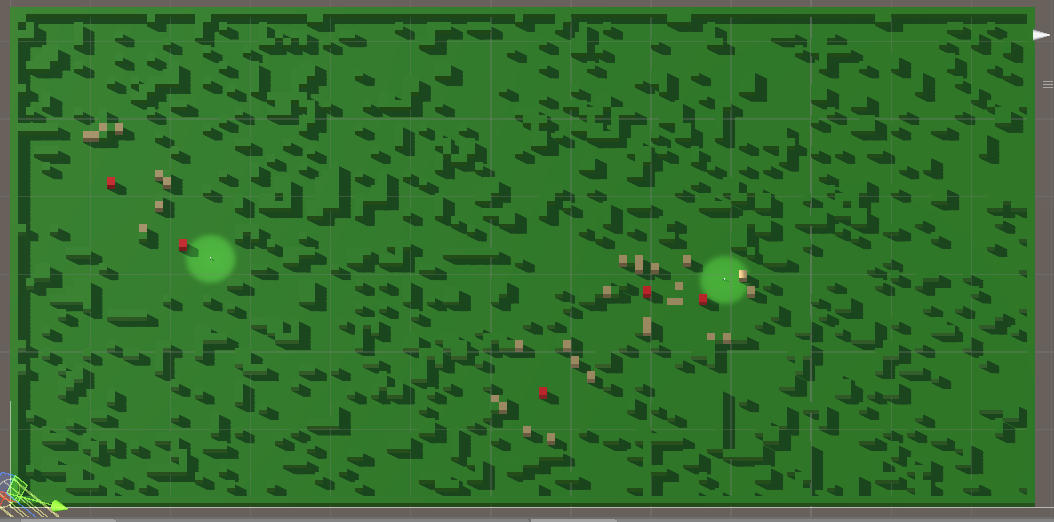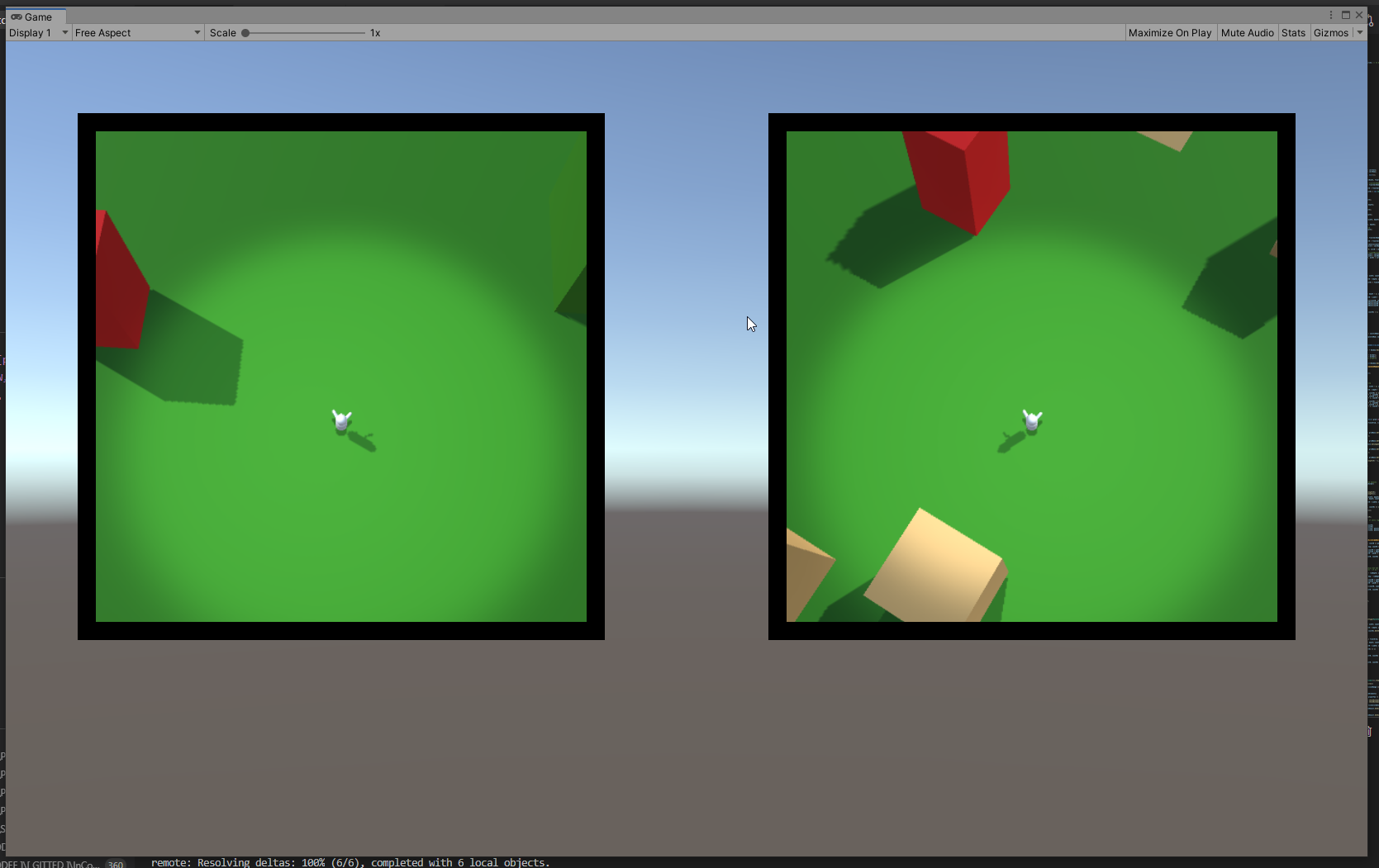
The sorting tree

After I stopped trying to improve on the performance of crystal sort (https://mossgoblin.com/sommath/2021/06/25/sorting-them-numbers/), I was left with the idea of the unused sorting algorithms.

See, the thing is, once the ball is rolling (the ball of finding the best solution of a problem, that is), it doesn’t stop to make sure it has covered all the path beneath it. In fact it doesn’t roll, it bounces. And wherever it touches the ground you have your next best solution. So a lot of ground never gets touched. You know how high the bar currently is and you know where you should start thinking onwards if you want to raise it even more. So, I think, there’s enough uncharted ground beneath that high performance bar for one to wander about.

Meaning – there are a lot of low hanging fruit to be picked, if you are so inclined. The point? Well, there’s exploration. That’s reason enough in and of itself. For me it is almost the same as finding yet another proof of the Pythagorean theorem. Not that anyone needs it, per se, but boy would I be proud if I found one!

I would not be as proud to find a relatively slow sorting algorithm, but it does please me enough.

Hence – Push Sort.

(to be properly documented and repo’d)

Again (as with crystal sort) I named it myself. Even though undoubtedly it has been by someone considered half a century (or more) ago, it is clearly not clever enough to be performing well, so it has sunk in obscurity.

It is a very brute force approach and I was surprised that it ranked in the middle of the test table – I gotta cite some data, but if I remember correctly it was somewhere around merge, I think. See the comparison algorithms I used in the readme of crystal sort’s repo (I reused the benchmarking base).

The idea is very simple – take the elements from the bucket one by one and move them into a sorted bucket, placing them in the correct place within all other already placed elements. Let’s say you choose to sort ascending. You take the next bucket element and compare with the first sorted element. If the new is smaller or equal, insert it there (place in at index 0 and shift the others). If it is larger, repeat comparison with the next. If there is no next, then you have the largest element so far, so place it at the end.

As I said – it works surprisingly well. No trailblazer, for sure, but still.

Anyways. I have more to say about the low hanging fruit, but I’ll leave that for some other time. May be with the next mediocre sorting algorithm.


P.S. I should start using pseudocode and code blocks here…
All the huds, all the time

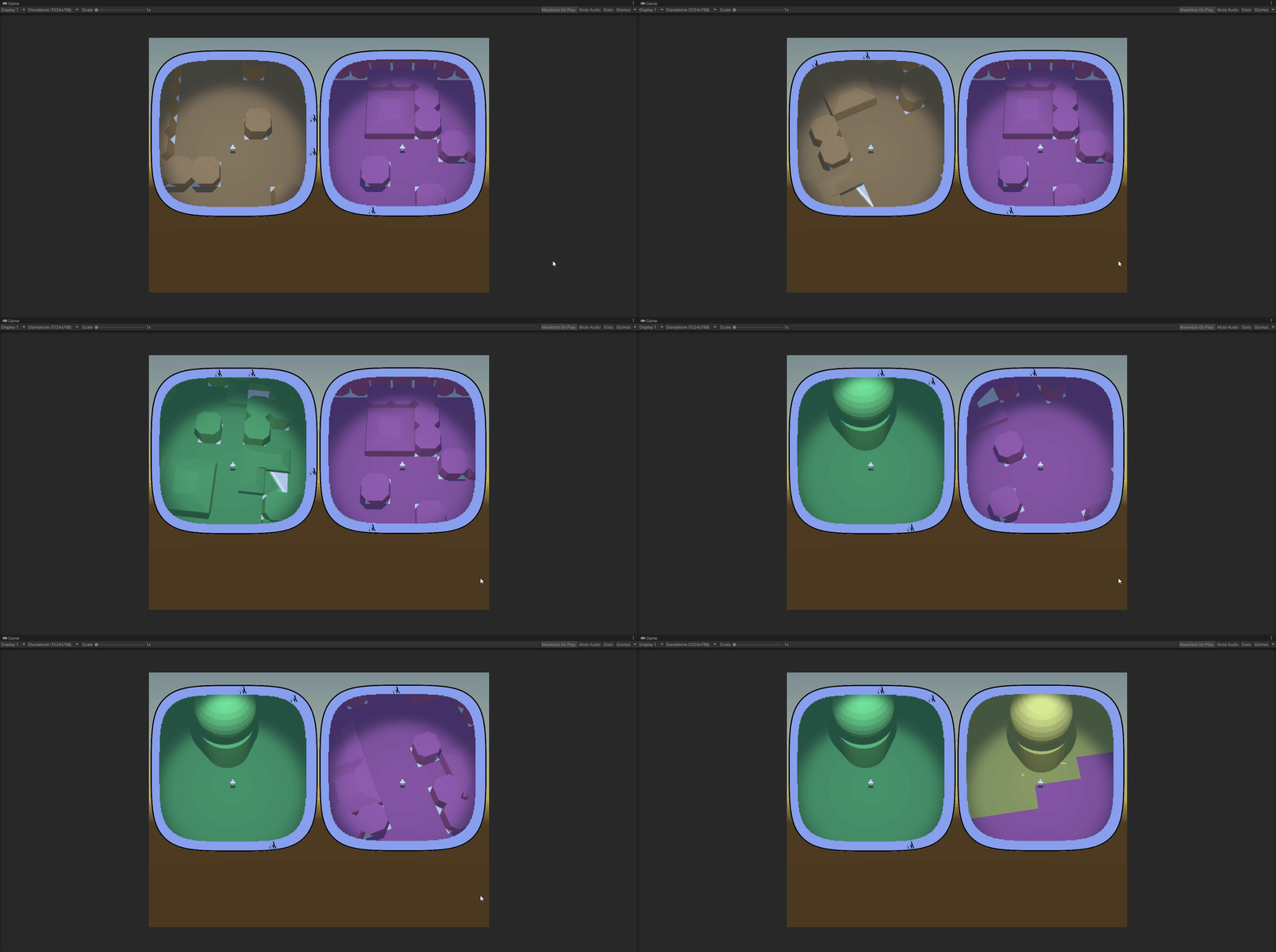
Finally, the huds are (basically) ready.

At least they sork properly with static icons – ones that are generated with the map and are never destroyed.

Each hud correctly displays only the icons that are in the vision range of the respective player and drops the icon when the object in question is visible on the minimap.

I think that will be all for the year.

Next – player inventory and item use, I think. We’ll see…

Chaining them hooks

(Successor to https://mossgoblin.com/2020/02/18/egg-and-chicken-in-unity/)

I got this problem again, when different component scripts compete for precedence. Always something to think about when you have multiple entities (not the technical term from dots).

In this case I was integrating the successfully prototyped hud/radar system into the main scene and I got the following situation:

The MapController (the main conductor in the scene) gets a list of points of interest (POI) to be displayed on the huds. It send them to the HudController.

It also positions the players and sends their transforms to the HudController again.

The HudController decides which of the POI are visible for each player and creates two separate POI lists and sends them to the player huds, along with the respective player transforms.

Then each hud takes care of initializing the compass of the player and displays the POI list it has.

Who Starts() first. Madness and definitely not the proper way.

We leave aside the fact that the two controllers and both the huds are component scripts and not simple C# objects. Quite the anguish, deciding it should be so. I would not have the chaining problem if I used pure C# classes for those, but building and setting up the scene turned out to be much much easier with properly exposed component scripts.

So… one Start() to rule them all! Here’s how it ended up looking:

MapController

+Start()

  • PrepPlayers()
    • Send players to HudController
  • PrepGeneralPOIList()
    • Send generalPOIList to HudController
  • HudController.Run()

HudController

+Run()

  • Send players to each player Hud
  • Split generalPOIList into two playerPOILists
  • Send one playerPOIList to each Hud
  • for each Hud: Hud.Run()

Hud

+Run()

  • Display playerPOIList

I feel weird having component scripts that have logic, but don’t have Start() hook, but.. it seems to work. I am pretty sure that’s not optimal and there are better ways to organize the action flow. But it will have to wait for some other project.

Squircle Resolved

At the end I had to give up on calculating my squircle by hand.

Two reasons

  1. Unity gives an automatic way to approach the problem;
  2. The tool Unity gives works with any (some kinds of any) type of shape, not only with geometrically correct squircles

I ended up using ray casting. I feel like I cheated, but.. that’s life. On one hand, I don’t have the nerve to develop the maths to deal with the problem myself, so… see reason 1. On the other hand, I have the consolation of working with shapes even better than a squircle.

Here’s how it goes:

You have a player somewhere on the map and a list of objects you want to track on your compass.

On the minimap you see the player himself. He always keeps his Noth-bound position, so when you rotate, you see the map rotating around you. Each trackable object (if not close to be seen on the minimap itself) is represented as an icon on the border of the minimap. The border is the ‘compass’.

You get the angle between the player forward position and the object in real world, then create an icon on the compass and place it on the compass, keeping the same angle between the up position of the canvas and the icon. The problem is the distance between the icon and the center of the minimap.

Here’s what you do – you have a secret object, outside of the playing area, that is basically a 3d version of the shape of your compass. That’s your ‘wall’. It’s hollow. In the middle there’s a radar object with a small script. You give that script the angle ‘in the real world’ between the player.forward and the object. The radar fires a ray at that angle and returns the distance to the wall at that angle.

You get that distance, scale it accordingly and give it to the compass.

If feels clunky to have a real world object that scans constantly to get the distance, but it undoubtedly works and it works with almost any shape, at that. The only limitation for the form of your compass and minimap is that the border can not swerve to an extend that one part of it blocks line of view from the center to another part.

Here’s the physical object with the (invisible) radar in the middle.

The radar is currently tracking 6 objects from the map, using angles, provided by the map itself. The visible rays are Debug.DrawRay().

Here are the map and the radar complex, set aside it:

You can clearly see that I haven’t even bothered to set the anchor points of the objects to the centers of their bases. I am tracking their basic 0,0 vertices here. Irrelevant.

Here are both the scene view and the play view:

All colored objects are on the compass. The compass itself is the blue band around the minimap.

This was just a feature-dev scene, so I didn’t bother matching colors of objects to icons. Black icons are blue objects. Yellow is yellow.

So… this has not yet been transferred to the main scene. In the full version you have multiple type of objects that you can see on the compass, some only from a certain distance. All of them should disappear from the compass if there are actually seen in the minimap (here you can see the yellow object bot on the map and the compass).

This step of transferring the compass success to a ‘main scene’ type of actual structure will be hell…


Uuhh!! Look what I found ShareX can do!

Screen recording! And – Tadaaaa!  – Screen recording to GIF!

Biomes!

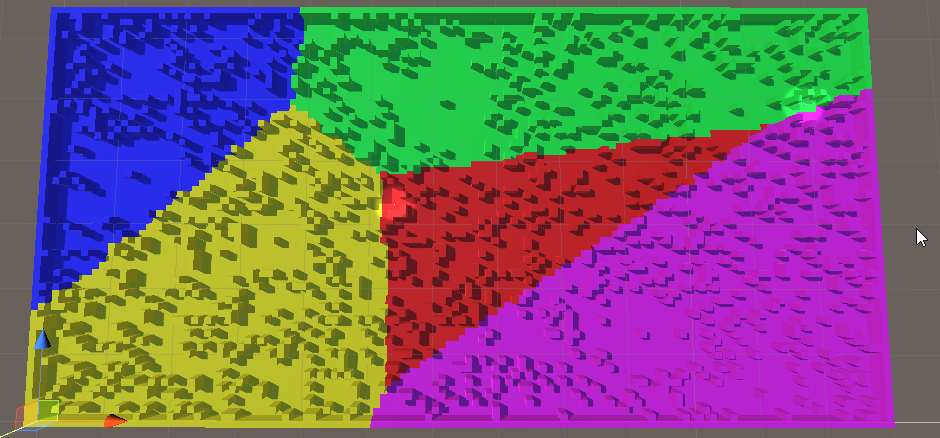
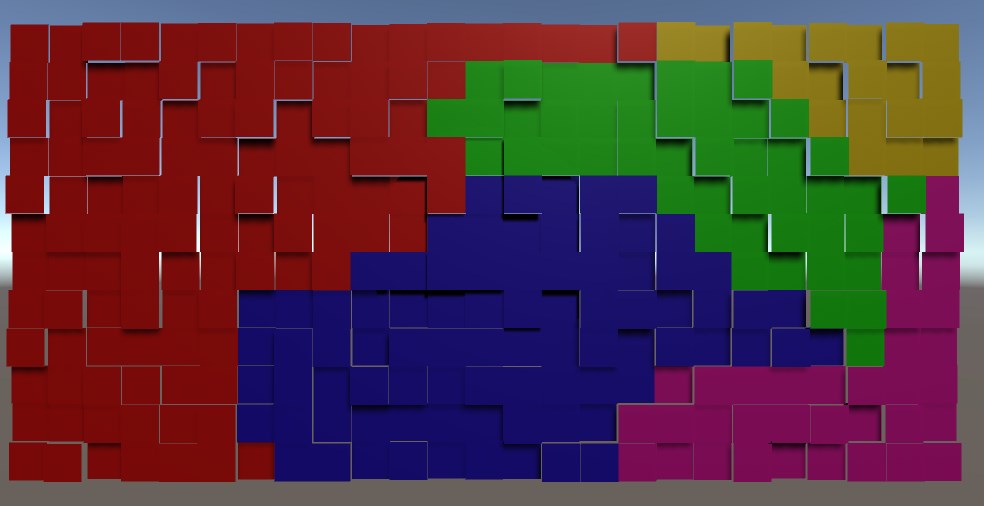
Aaand we have biomes!

In this case they have only a visual role. The objects that the environment is constructed of have types and those are what is functionally important. I need the biomes, however, to mark different sections of the map differently. The players needs to be able to look at their minimap and determine that they are not in the same type of terrain.

The approach I took was to select points on the map that are generally far away from each other, then flood the area around each one. Of course, steady flood would mean straight lines between the biomes, so I had to think of a randomness.

SomeBiomes

I used random ‘height’. There is no height in the game, but the concept for randomization is height and I needed a visual distinction between the tiles while devving, so…

The idea is that in each iteration of the flood a tile is evaluated.

Each non-marked neighbour is marked for checking (pretty standard).

The check of the tile itself is a comparison of the height of the tile against a pre-set threshold. If the tile is low enough – it is marked with the color of the biome. If not – it is lowered by an amount and added back to the collection of ‘to be checked’ tiles.

And if you do it for each biome in turn, each with its own flood – it works!

We’ll see how it will break when I add it to the main scene 🙂

Enter Squircle

So… Remember how the players use glorified minimaps to actually play?

One of the main features of the minimap is the compass – icons, showing direction to points of interest.

Easy enough to do it on a circular compass. Found a way to do it also on a square one. The main concern is that the circle does not cover space well and I would be happier if I can allow the players top see more of their surroundings. Here comes the square minimap. However, square is not… friendly. I kind of don’t like the sharp corners. This can be, of course, mitigated, by designing the whole UI to accept such corners, but why mitigate a problem when you can resolve it?

Enter squircle – a square with rounded corners. It would look well and give more visibility than a circle with same radius as it’s side length. But how do you project icons on the compass?

The way the compass works is simple – you get the angle between the player forward direction and the direction to the object, translate that angle on the minimap and place the icon the right amount away from the center of the minimap. Yeah, that’s the problem. For the circle it’s basically a non-problem. For a square – I found a solution online (see below).

But a squircle? I think I found the correct road to a solution, but it’s still a rocky road for a person how has not practice any meaningful math for decades.

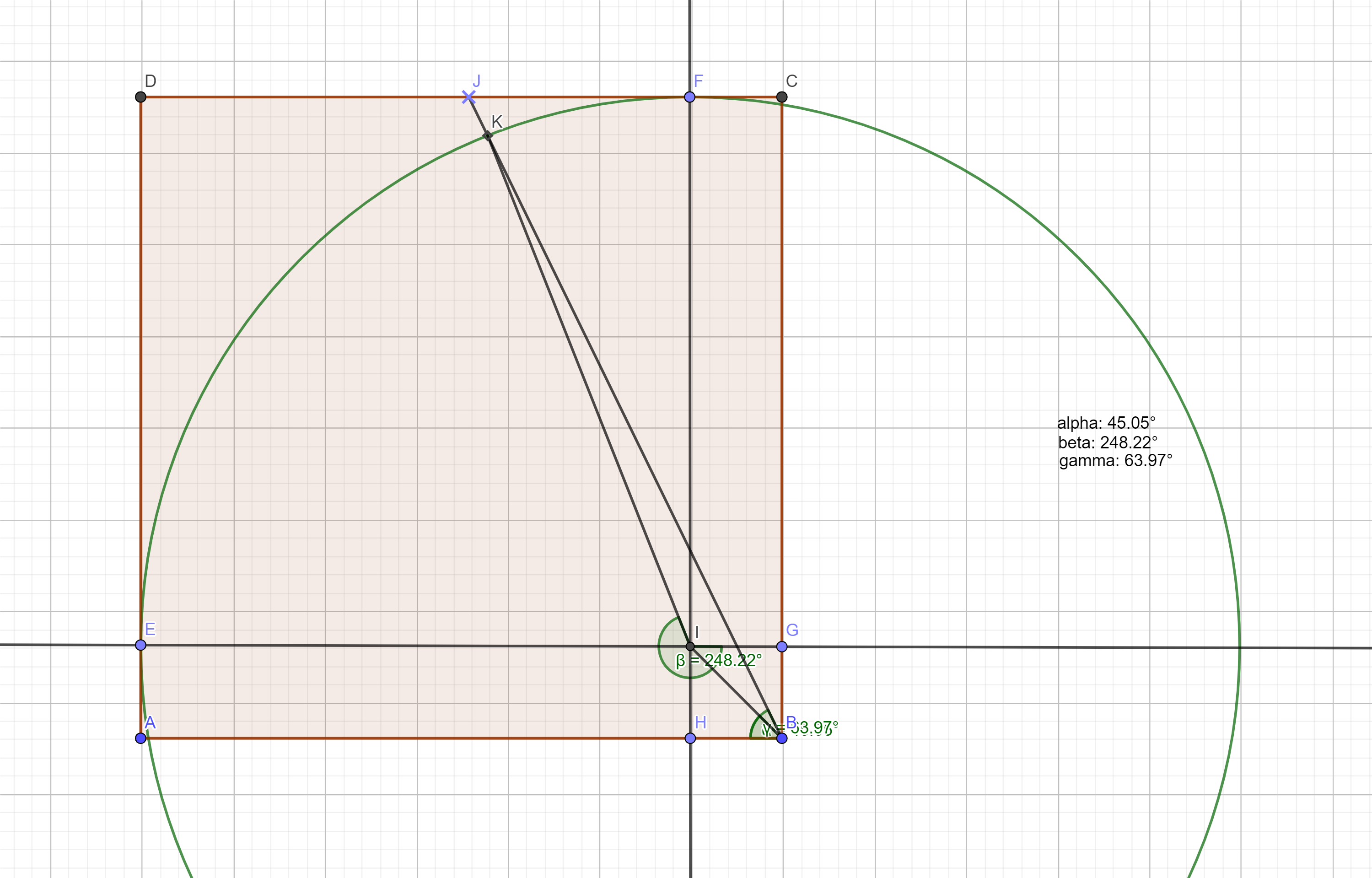
Here’s the construction:

a section of the squircle

The shape goes between two extremes. You have two governing variables – the radius of the corner circles and the length of the straight intervals between the corner circles. So the whole shape has two extremes:

  • it’s a circle if the intervals have length of 0
  • it’s a square if the radiuses are 0

What is given:

  • the radius of the circle
  • the length of the interval
  • the angle between (any) axis (IE) and the line passing through the center of the compass and the target icon (BJ)

What I need to find:

  • The angle between (any) axis (IE) and the line that connects the center of the circle and the crossection of the circle and the line from the center of the compass and the icon (IK)

What If Flares And Totems

New idea.

Currently there are two main objects each player has – his totem and the flare (which is actually shared, but still). A good sharpening of the gameplay would be to have those two be essential to the players.

If those two items become:

  • more useful (as in different uses)
  • more powerful (as in greater impact of each separate use)
  • more directly impactful of the final goal

…then they can be the pivotal game element.

The game could then be revolving around the shared flare, the two totems and the minimaps. More concise this way, ya?

What can we do about the primary tools?

Totems – most importantly – each player can track his own totem on the compass. To enhance that – the player can recall his dropped totem at any time.

Fares – so far the flare is used only for navigation. However it can have additional roles, to take advantage of the fact that it’s shared. Namely – it can give the player holding the flare additional powers. This would give more meaning of the decision when to send the flare to the other player.

Example powers:

  • Attack damage – if the regular mob dies from two hits and the really tough mobs die from four, one additional point of damage is a huge boost.
  • Light – uncertain if that would help, unless the overall lighting is low. Which it could be.
  • Vision range – very powerful indeed. There’s a pitfall there – the players do not know the scale of the map and do not have a very stable intuition of their actual vision range. When they get used to the idea that the flare gives additional range, I fear this might lead to a feeling of blindness when the flare is in the other player, simply because of overestimating the vision bonus they are currently not having. We’ll see…