One, Two, Three, One, Two, Three, Testing, Testing…
Can we be disciplined enough to keep a crafting… diary? (Dear crafting diary, what the f*** did we create?!)

One, Two, Three, One, Two, Three, Testing, Testing…
Can we be disciplined enough to keep a crafting… diary? (Dear crafting diary, what the f*** did we create?!)
So I got me a sorting algorithm.
I really wanted to create one, just for the exercise. Of course, I did not have any expectations for it to be especially efficient, as I presume all low hanging fruits have been picked.
Well, it turns out we’ve picked up all the extremely low hanging ones, then we learned to reach higher and now we’re trying to pick the high hanging ones, but I suspect there are still unpicked fruits on the lower end.
That’s where my algorithm stands. And a bit to the side.
What’s the situation – crystal sort (as I called it) is generally slow, except for when you have an array with a particular property and you know in advance that it has it (or you strongly suspect that it does).
Quick disclaimer – I spent about two hours googling sorting algorithms, trying to read the basics of all of them. I could not find mine amongst them. My suspicion is that many people have come up with the idea already, but have dropped it due to it’s shortcomings. I am happy enough with the idea even though it’s not optimal, so I’m trying to make the most of it. It deserves the light of day (some light of day), even though it’s not groundbreaking.
So… I was mulling over the general sorting problem (well, the linear sorting mostly, iterations + swaps) and I was thinking about the eponymous bubble sort, used for the “low bar” benchmarking (along with shuffle sort, I guess).
I was thinking about how we keep the bubble sort around as an example and that every time you look at it you have to ignore the obvious optimizations, just so that you have it remain a pure example. Specifically, I was thinking about how you always swap adjacent elements of the array, disregarding the question “does this swap put at least one of the elements in it’s correct position”. So I decided to code that as an exercise and to my delight I found that it’s performance is… not abysmal.
Generally what happens (or happened in that first version) is that you go through the array and compare your current element with the first and the last one. You swap it with the first one, if the current one is smaller. Otherwise, you swap it with the last one, if the current one is larger. Very, very simple, yet at the end of the pass you are guaranteed to have both the smallest and largest elements of the array at their exact correct and very final positions. Then you simply do the same for the remaining elements between them until you run out of remaining elements.
This proved to be so elegantly simple that I had to make an effort to “properly” code it – to be efficient, optimized and beautiful module. I did some comparisons (using ready-made code for other algorithms, lifted from the internet) and to my delight I found that it performed on par with selection sort (technically a tiny bit better, but within the efficiency margins that I suspect strict code optimizations govern; meaning – hard code overclocked code may cause the comparison to change a bit).
So… I was happy, but I realized the algorithm, as it was, had a major built-in inefficiency. Say you make one pass over the array and you get your smallest and largest elements at the first and last positions. Within the remaining elements you can have ones that have the same values, just scattered around. And in subsequent runs you’ll find them and place them where they belong, but the algorithm has no memory that it has already found those values, so… it seems like a missed opportunity. What if you could dispose of them quicker.
So I added another, secondary operation in between the primary iterations. After each primary pass, when you have found the min and max of the current subset, you go into the remainder and extract all values equal to those min and max and add stick them in their proper places. Then and only then you make another primary pass, finding new (and unique) min and max.
Result? Well, you have to consider the business case. Sorting algorithms are mostly used for small arrays with largely varying values. But if you, for some reason, want to sort an array that you know (or strongly suspect) has multiple duplicate values… well, then you better use insertion sort. But seriously, if you want, you can use my algorithm. It performs better and better the more duplicate values you have. In extreme cases (as I just suggested) it performs almost as well as the insertion sort.
For something botched together around almost non-existing expectations, I’m pretty happy.
Some disclaimers, again: The code that I used for comparison was lifted from https://stackabuse.com/sorting-algorithms-in-python
I presume the level of code optimization is the same between the different sorting methods (for a fair comparison between them), but also they are optimized for readability, as the blog post is supposed to be educational. So the different methods may turn out to have significantly different rooms for optimization, so if you choose performance over readability and refactor everything, the results may differ.
Also: The current code of my own algorithm is… well, I tried to keep it code neutral. Meaning I chose to keep an “iteration + swap” version, in order to exclude anything that is python specific. So it could be a bit faster with list comprehension.
Keeping that in mind, I can’t resist but try it that way – comprehend my lists to the max to see what would happen. I’ll add an update, once this is done and evaluated.
Last (apparently), but not least:
The algorithm is called crystal sort, because of the way the sorted values crystalize from the ends of the array towards the middle. It just reminds me of crystallization.
And yeah, here is the repo, actually 🙂
Finally, the huds are (basically) ready.
At least they sork properly with static icons – ones that are generated with the map and are never destroyed.
Each hud correctly displays only the icons that are in the vision range of the respective player and drops the icon when the object in question is visible on the minimap.
I think that will be all for the year.
Next – player inventory and item use, I think. We’ll see…
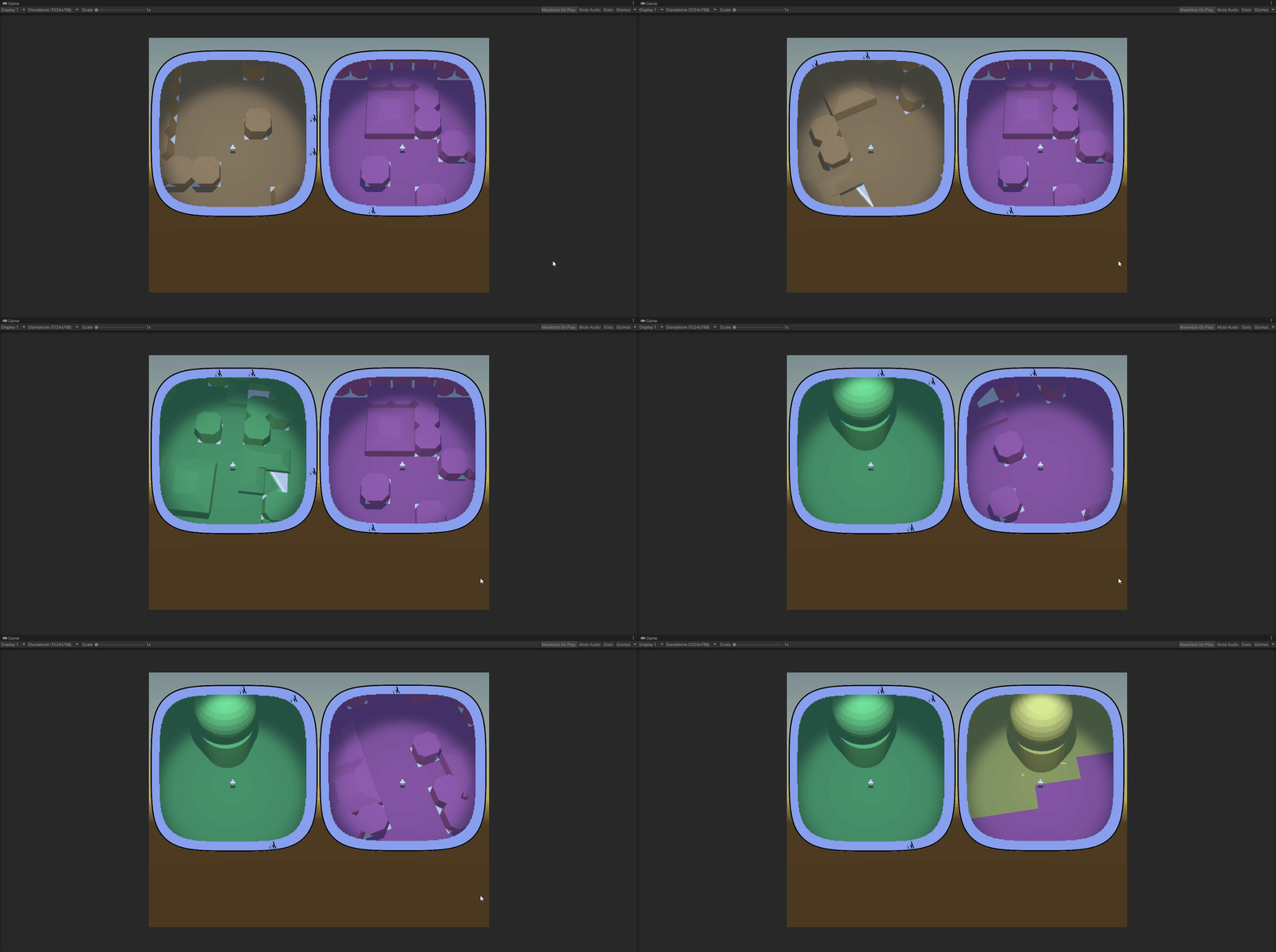
(Successor to https://mossgoblin.com/2020/02/18/egg-and-chicken-in-unity/)
I got this problem again, when different component scripts compete for precedence. Always something to think about when you have multiple entities (not the technical term from dots).
In this case I was integrating the successfully prototyped hud/radar system into the main scene and I got the following situation:
The MapController (the main conductor in the scene) gets a list of points of interest (POI) to be displayed on the huds. It send them to the HudController.
It also positions the players and sends their transforms to the HudController again.
The HudController decides which of the POI are visible for each player and creates two separate POI lists and sends them to the player huds, along with the respective player transforms.
Then each hud takes care of initializing the compass of the player and displays the POI list it has.
Who Starts() first. Madness and definitely not the proper way.
We leave aside the fact that the two controllers and both the huds are component scripts and not simple C# objects. Quite the anguish, deciding it should be so. I would not have the chaining problem if I used pure C# classes for those, but building and setting up the scene turned out to be much much easier with properly exposed component scripts.
So… one Start() to rule them all! Here’s how it ended up looking:
MapController
+Start()
HudController
+Run()
Hud
+Run()
I feel weird having component scripts that have logic, but don’t have Start() hook, but.. it seems to work. I am pretty sure that’s not optimal and there are better ways to organize the action flow. But it will have to wait for some other project.
At the end I had to give up on calculating my squircle by hand.
Two reasons
I ended up using ray casting. I feel like I cheated, but.. that’s life. On one hand, I don’t have the nerve to develop the maths to deal with the problem myself, so… see reason 1. On the other hand, I have the consolation of working with shapes even better than a squircle.
Here’s how it goes:
You have a player somewhere on the map and a list of objects you want to track on your compass.
On the minimap you see the player himself. He always keeps his Noth-bound position, so when you rotate, you see the map rotating around you. Each trackable object (if not close to be seen on the minimap itself) is represented as an icon on the border of the minimap. The border is the ‘compass’.
You get the angle between the player forward position and the object in real world, then create an icon on the compass and place it on the compass, keeping the same angle between the up position of the canvas and the icon. The problem is the distance between the icon and the center of the minimap.
Here’s what you do – you have a secret object, outside of the playing area, that is basically a 3d version of the shape of your compass. That’s your ‘wall’. It’s hollow. In the middle there’s a radar object with a small script. You give that script the angle ‘in the real world’ between the player.forward and the object. The radar fires a ray at that angle and returns the distance to the wall at that angle.
You get that distance, scale it accordingly and give it to the compass.
If feels clunky to have a real world object that scans constantly to get the distance, but it undoubtedly works and it works with almost any shape, at that. The only limitation for the form of your compass and minimap is that the border can not swerve to an extend that one part of it blocks line of view from the center to another part.
Here’s the physical object with the (invisible) radar in the middle.

The radar is currently tracking 6 objects from the map, using angles, provided by the map itself. The visible rays are Debug.DrawRay().
Here are the map and the radar complex, set aside it:

You can clearly see that I haven’t even bothered to set the anchor points of the objects to the centers of their bases. I am tracking their basic 0,0 vertices here. Irrelevant.
Here are both the scene view and the play view:

All colored objects are on the compass. The compass itself is the blue band around the minimap.
This was just a feature-dev scene, so I didn’t bother matching colors of objects to icons. Black icons are blue objects. Yellow is yellow.
So… this has not yet been transferred to the main scene. In the full version you have multiple type of objects that you can see on the compass, some only from a certain distance. All of them should disappear from the compass if there are actually seen in the minimap (here you can see the yellow object bot on the map and the compass).
This step of transferring the compass success to a ‘main scene’ type of actual structure will be hell…
Uuhh!! Look what I found ShareX can do!
Screen recording! And – Tadaaaa! – Screen recording to GIF!

(Continuation of Once a line, always a line.)
One thing I skimmed over is the way you translate the regular space into the discrete integer space that I used to place the integer objects in. That takes more effort that I can be bothered to apply here.
So, in the service of transparency and brevity, here’s a summary of the conclusions of the previous post:
— — —
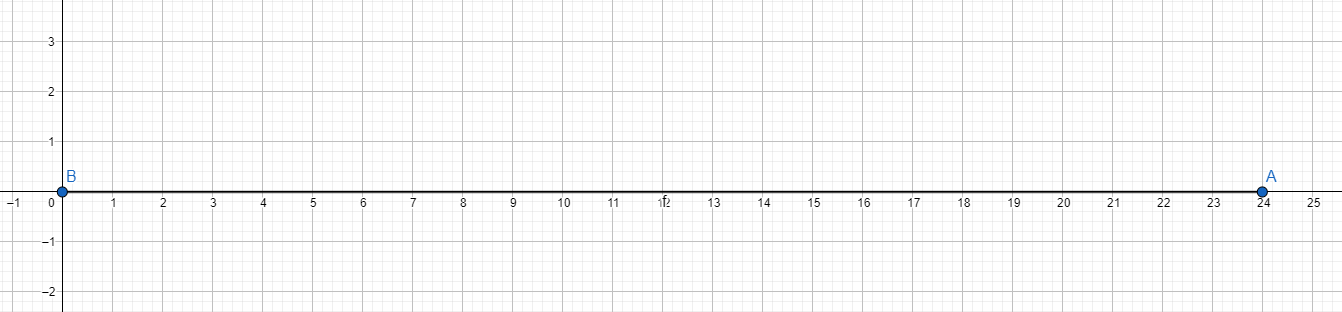
Here’s 24 as an integer on the number line:

…and here it is as a line:
…It could be a polygon:

… but that’s just regular factorization (one of).
The prime factorization of 24 is this:

This object can be only 24 and no other object can be 24 (rotations aside, because not relevant).
I like primes. Particularly, among other things, I like the idea of them being building blocks for other numbers.
The problem comes from intuition mismatch – the operation that combines primes into numbers is multiplication, not addition. Admittedly, we are used to create by adding, not multiplying. Even more, we consider (and I can not think of a reason not to) that multiplication is a second order operation – an upgrade to addition.
So… I frequently turn the idea over in my head, trying to crack it and find a way to stuff it all in my intuition engine, so I don’t have to rationalize and accept it.
And a few days ago I had a kind of a break through. I can’t say that it’s something grand, but it’s a step in the right direction.
Prerequisite:
Since we are talking about prime numbers, we are working only in the realm of integers. So try to imagine the mathematical universe as a discrete place with a grid with granularity of 1. E.g. the smallest possible measurement is 1. or 1×1 in 2 dimensions, 1×1×1 in 3 dimensions and so on.
Then:
Consider the number 6.
On the normal number scale it represents a point on the mark 6 on the positive integer axis:
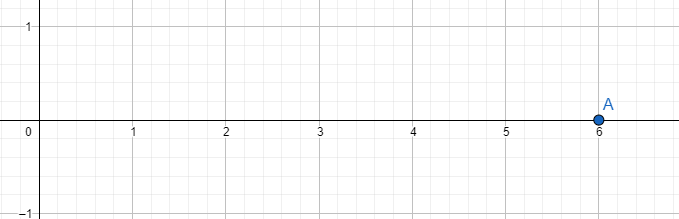
This is the same as the distance between the point of number 0 and the point of number 6 on the integer axis. Like this:

In the discrete integer space it looks like this:
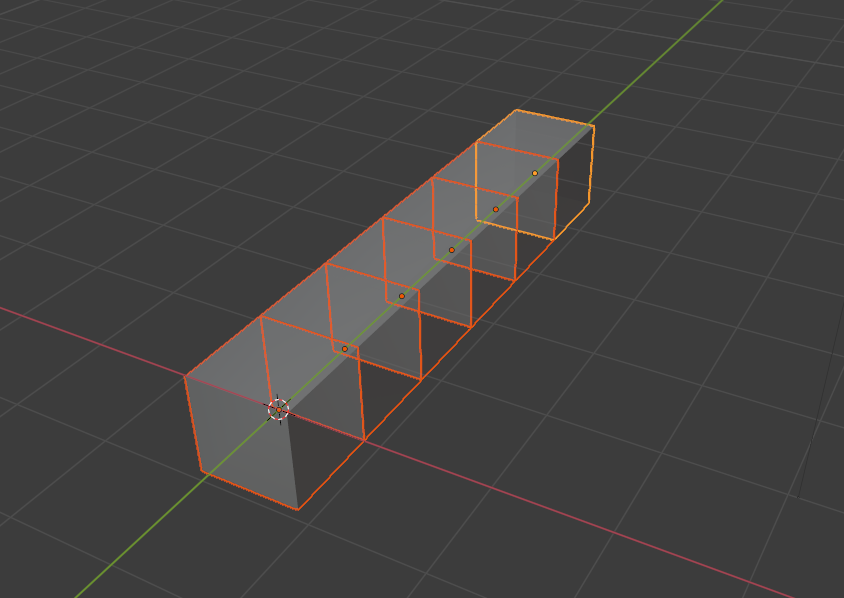
The same, just showing the discreteness. This representation, going forward, is called the integer object of the integer 6.
Let’s double it to a 12. Six would also do, but 12 gives a bit more options. So:
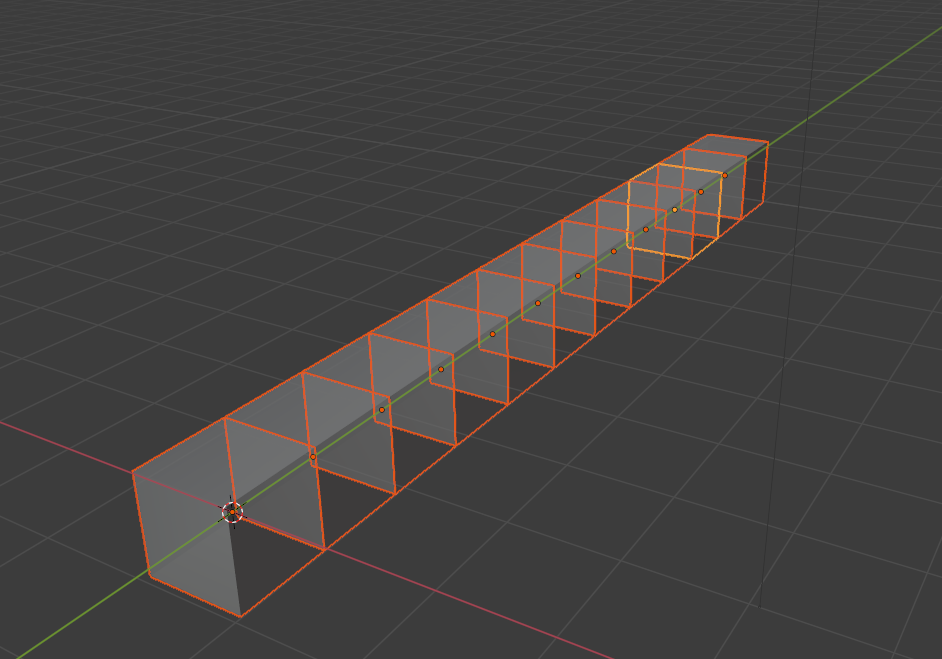
All fine and dandy, so far. 12 units laying on the X axis.
But we know we can represent 12 is a composite number – it has a prime factorization that includes more numbers than 12 and 1.
We can represent 12 as 6 times 2. Which, in a discrete geometrical sense, would mean extending the one dimensional integer 12 into 2 dimensions, creating an object of shape 6×2.

The reason I chose 12 is, of course, because its prime factorization is 2×2×3, e.g. it has 3 prime factors, so we can bring it up another dimension:
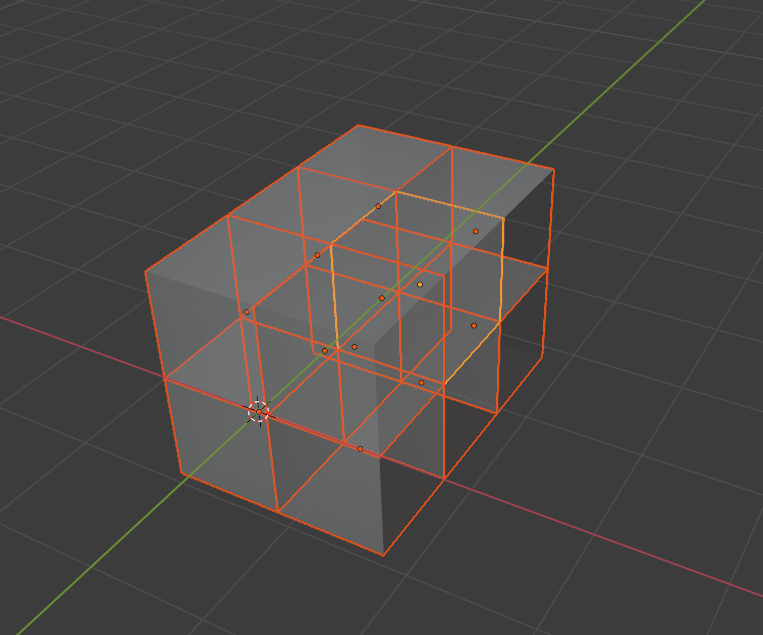
That’s the head of the idea that I had – that if you take the prime factors of an integer to be the size of an object in as many dimensions as there are prime factors, the compositeness of a number is very easy to grasp.
The important consequences of this representation (or what is this all about):
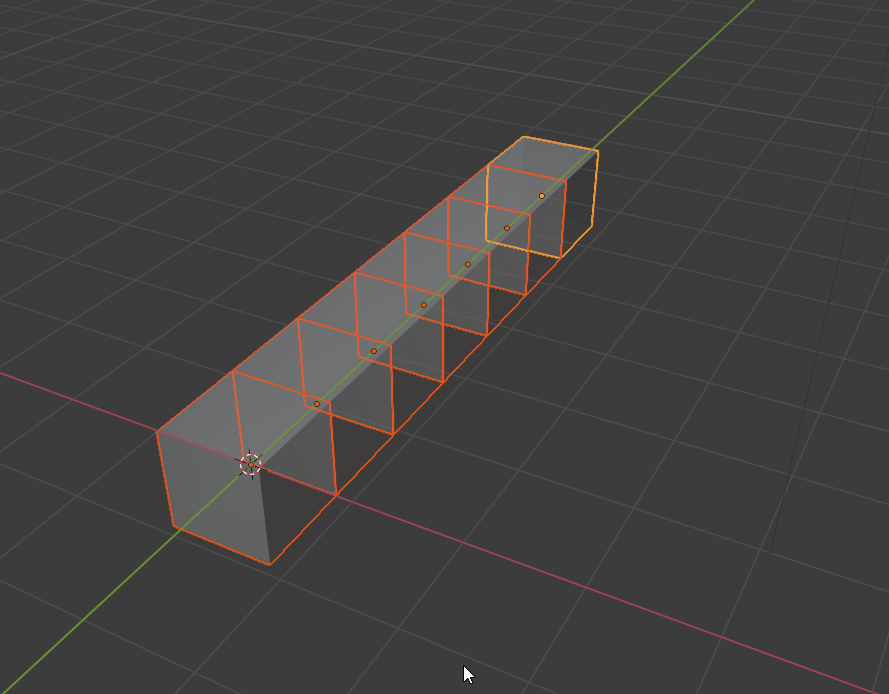
However many dimension you put 7 in, it will always be a line with length 7 – the most simple possible object with that size. In any number of dimensions (larger than 0) a prime number stays a line!
That is what I found fascinating!
And it comes back to the building blocks when you consider how the integer objects are created – one prime integer object aligned with the positive axis of each dimension of your space, all beginning at the origin.

Well… It turns out that even though the integers, as we usually think of them, are a single dimensional concepts, consisting of only a magnitude, but if you want to know how they are built – they are actually multidimensional objects. And for most of the integers those object representations have more dimensions that we are usually comfortable imagining.
P.S. Of course I could have done it with just lines and normal objects, instead of building it all out of blocks. But I think this way the discreteness is obvious at all times and in all representations and I find that to be the most important building block of the idea.
Aaaand applied. I am yet to decide whether I want to allow completely free areas or work a bit more to make sure they are at least approximately equal, but that’s small.
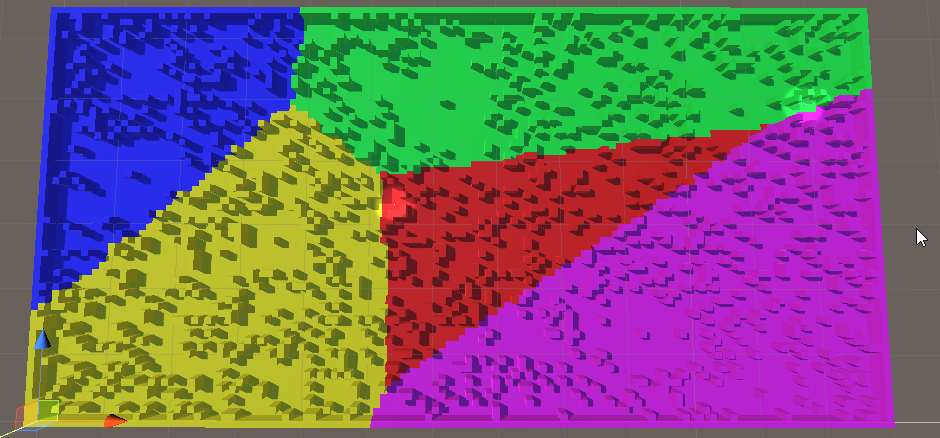
So yeah, what was I thinking! I really did think my flooding mechanism did well for the biomes, until I tried it on the full scale map. Whereupon it was observed it did not do well!
So… voronoi then. 30-ish lines of code for a guaranteed quality. What’s not to like?
Here’s the test:
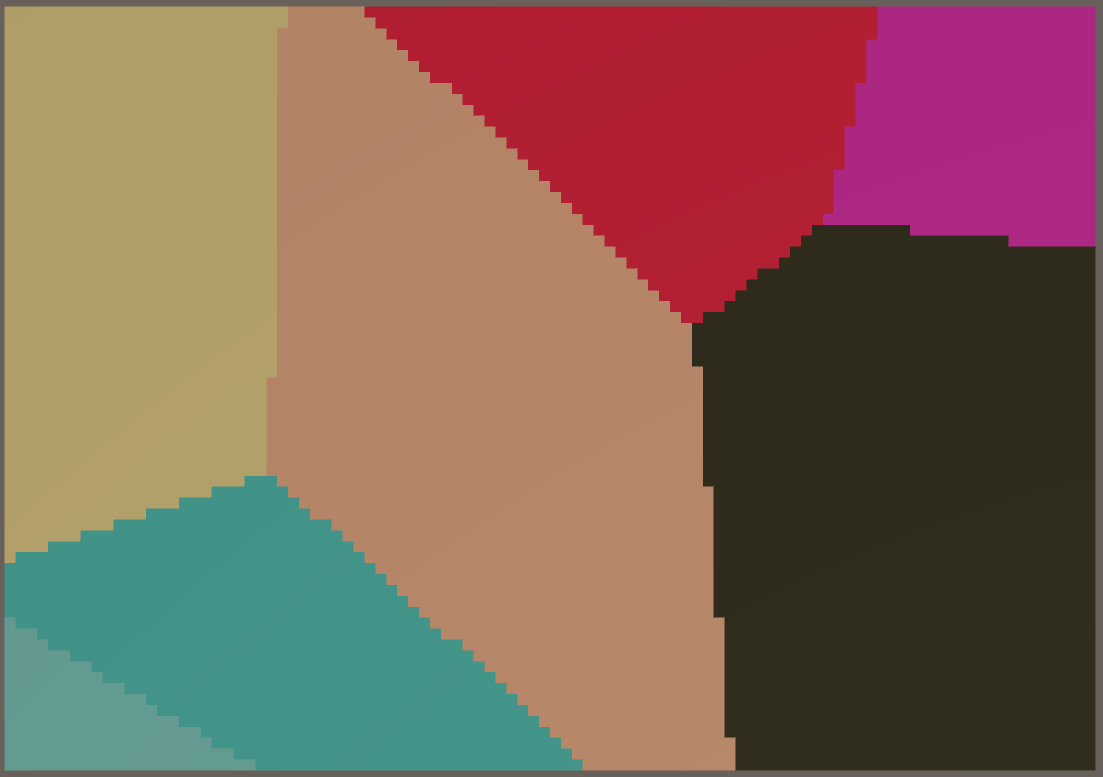
Aaand we have biomes!
In this case they have only a visual role. The objects that the environment is constructed of have types and those are what is functionally important. I need the biomes, however, to mark different sections of the map differently. The players needs to be able to look at their minimap and determine that they are not in the same type of terrain.
The approach I took was to select points on the map that are generally far away from each other, then flood the area around each one. Of course, steady flood would mean straight lines between the biomes, so I had to think of a randomness.
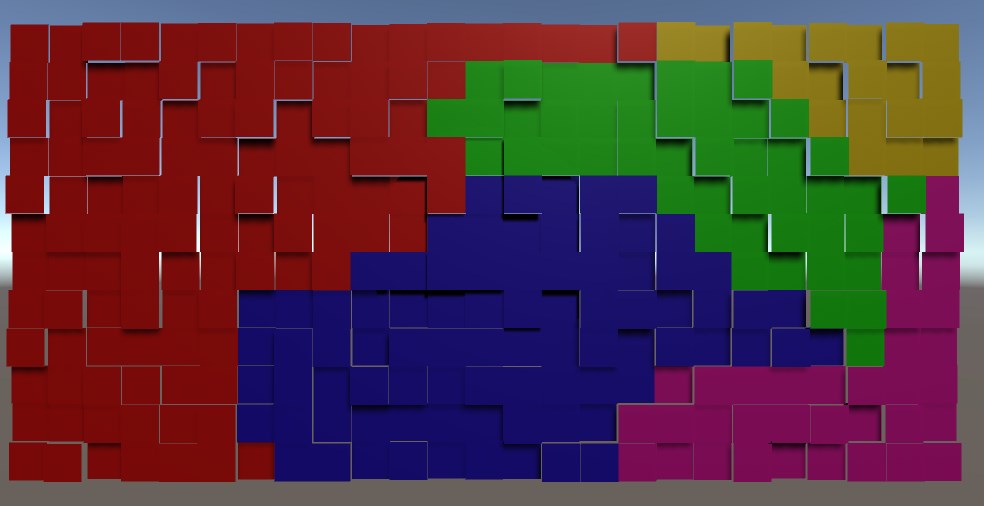
I used random ‘height’. There is no height in the game, but the concept for randomization is height and I needed a visual distinction between the tiles while devving, so…
The idea is that in each iteration of the flood a tile is evaluated.
Each non-marked neighbour is marked for checking (pretty standard).
The check of the tile itself is a comparison of the height of the tile against a pre-set threshold. If the tile is low enough – it is marked with the color of the biome. If not – it is lowered by an amount and added back to the collection of ‘to be checked’ tiles.
And if you do it for each biome in turn, each with its own flood – it works!
We’ll see how it will break when I add it to the main scene 🙂